
The roster, seen by those who plan it and those who live it.
For the planner: a visual roster board that warns before the error. For the staff member: shifts, absence records and swaps in real time, from the phone. For both: fewer phone calls, less paper, less friction.
ALISEO ES gives each role the right tool. The planner works on a visual roster board with the ward’s own codes, colors and symbols, with preventive checks (rest periods, nights, working-time profiles), substitute search and decision notes. The staff member uses the myALISEO web portal and the SmartEmployee app (iOS/Android) to view their own shifts, absence records, clockings and courses, and proposes or accepts swaps that the planner approves. Five roles with dedicated permissions and an approval cycle traced step by step — from drafting to closure.
Last updated: 5 July 2026

For the planner: the system warns you first
A roster board that speaks the ward’s language
Concise codes, customizable symbols and colors; the whole month in a single screen, recalculated in real time.
Errors flagged while you plan
The 11-hour rest, night-shift exclusions, working-time profiles: compatibility checks fire at the cell, not once the roster is finished.
Substitutes in one click
Search for substitutes and redeployable staff — including resources on rest days — always within the 11-hour rest and consecutive-day limits.
Attendance and absences in real time
Ward monitoring is updated with clockings and absence records: who is in, who is missing, who can be called in.
Decision notes and highlighters
Reminders and markers directly on the cells: the reasons behind each choice stay with the roster.
Matrices tailored to care levels
Customizable plans for the ward’s time bands and staffing coverage; the Smart Grid checks the contracted-hours balance before publishing.
The 4 planning modes and the checks, in detail: Nurse rostering →
Five roles, each with its own perimeter
| Role | Who it is | What they do |
|---|---|---|
| Manager | Nursing/Medical Directorate | Governs the rosters, grants the compliance approval, sees the KPIs |
| District supervisor (RAD/RID) | Middle management | Oversees the rostering groups within their own remit |
| Operator / Planner | Ward coordinator / charge nurse | Plans, handles exceptions and swaps, publishes the roster |
| Timecard Manager | HR office | Reconciles rosters against time and attendance, manages the timecard |
| Staff member | Everyone on shift | Views their roster on myALISEO/app, proposes and accepts swaps |
Visibility and permissions are RBAC-based: everyone sees what they need and signs off on what falls to them.
The roster lifecycle (traced step by step)
Draft
The planner builds the roster (manual, matrices, automatic generation).
Ready for approval
The pre-validation checks have passed.
Approved
Management grants its approval; if it makes changes, the roster rolls back automatically.
Modified
Mid-month changes stay traced (who, when, previous value).
Ready for reconciliation
The roster meets time and attendance data.
Closed
Archived and auditable, cell by cell.
For the staff member: the myALISEO portal and the SmartEmployee app
From the myALISEO web portal
From any computer, every staff member views their own schedule in real time — shifts, absence records, clockings, courses, supervisor notes — and submits or accepts shift swap requests, which the planner approves. Printing your own roster masks colleagues’ absences (a plain “A” for absent, with no reason shown): transparency about your own work does not come from other people’s data.
With the SmartEmployee app
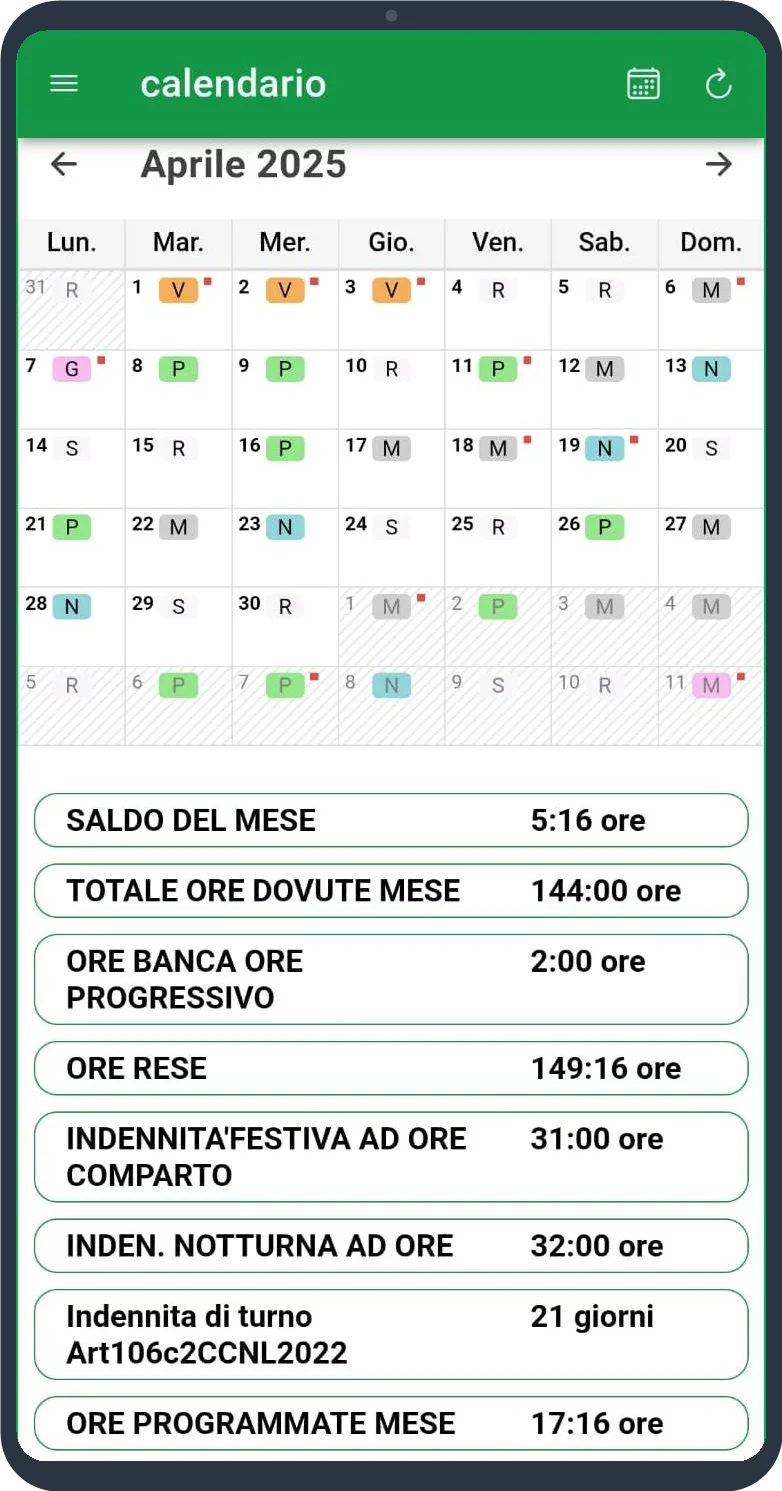
iOS and Android, available on the stores: rosters follow staff members on the move, updated in real time — every published change reaches their phone, with no WhatsApp groups and no printouts on the noticeboard.
Frequently asked questions
What can staff members do with myALISEO?
View shifts, absence records, clockings, courses and supervisor notes in real time from the web portal; propose or accept shift swaps; print their own roster. With the SmartEmployee app (iOS/Android), all of this is also on their phone, updated in real time.
Do shift swaps have to be approved?
Yes: the staff member proposes or accepts the swap, but it is the planner who approves it, with an automatic regulatory-compatibility check. The whole process stays traced.
Can staff members see their colleagues’ absences?
No: when they print their own roster, other people’s absences are masked with a plain “A”, with no reason shown. Colleagues’ privacy is protected by design.
Which user roles does ALISEO ES provide?
Five: Manager (Directorate), District supervisor (RAD/RID), Operator/Planner (ward coordinator), Timecard Manager (HR office) and Staff member — each with dedicated visibility and permissions (RBAC).
What happens if an approved roster needs changing?
The roster moves to the “Modified” state and every change stays traced with user, date and previous value; if Management steps in at the approval stage, the roster automatically rolls back to its previous state.
Want to see the planner’s roster board and the staff app, together?
Pick the date and time of your demo, or write to us directly.
Book a demo